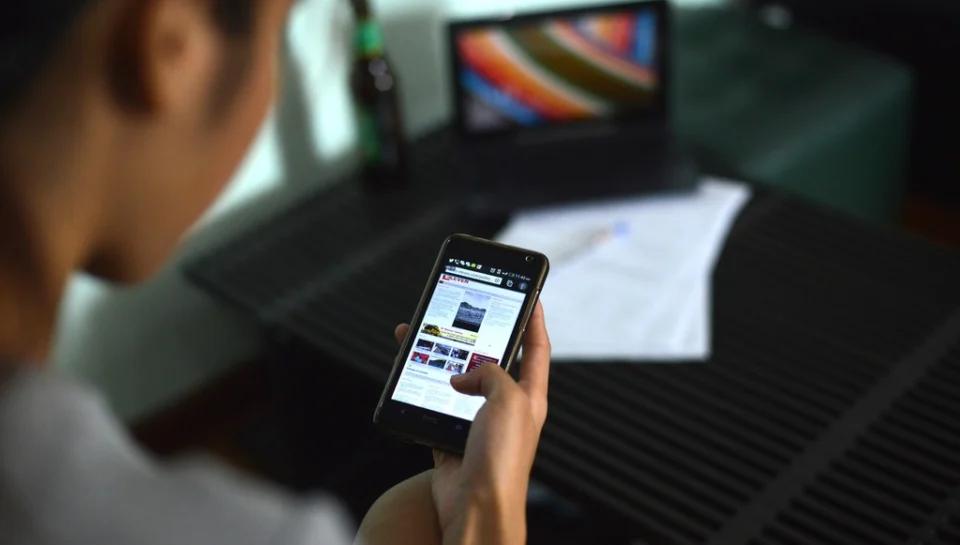
To learn how to make a brochure on your phone, open a browser-based brochure maker, add your photos and listing details, and publish — the whole process takes minutes with no design skills or apps to install. Because you already carry a camera and your listing info in your pocket, your phone is the fastest tool for turning a real estate, vehicle, business, or luxury item into a polished, shareable brochure right where you stand.
No desktop, no design software, no waiting. Here is exactly how to do it, plus the mistakes that make a mobile-made brochure look amateur — and how to avoid them.
Why your phone is enough
Modern phone cameras rival dedicated equipment for listing photos, and a web-based platform handles the layout for you. That means you can photograph a property or product and publish a professional brochure before you leave the driveway. Speed matters: the sooner your listing is live and shareable, the sooner buyers can engage.
- Camera and content in one place — shoot and build without transferring files.
- No app install — a good tool runs in your mobile browser.
- Instant sharing — send a link by text the moment you finish.
- On-the-spot updates — fix a price or photo from anywhere.
Step-by-step: build a brochure on your phone
- Photograph your item. Shoot in landscape, use natural light, and capture the key angles or rooms.
- Open a mobile brochure maker. Go to Brochurify in your browser and start a new brochure.
- Pick your category. Choose real estate, vehicle, business, or luxury so the layout fits.
- Add photos and details. Upload from your camera roll and fill in specs, price, and description.
- Let the tool polish it. AI assistance arranges and refines your content into a clean design.
- Publish and share. Get a live link and QR code, then text or post it instantly.
Take better listing photos with your phone
Great photos carry a mobile brochure. A few habits make an outsized difference:
- Clean and declutter the space or product first.
- Shoot horizontally for a layout that fills the frame.
- Use daylight and avoid harsh overhead glare.
- Hold steady — brace against a wall or use a small tripod.
- Capture variety — wide shots plus close-ups of standout features.
Add details buyers actually want
Photos draw people in; details keep them reading. Include price, key specs, condition, location or availability, and one or two standout selling points. Keep sentences short and specific — vague copy loses buyers. For property listings, our property listing description guide shows how to write descriptions that convert.
Publish, share, and track from your pocket
The advantage of a phone-made digital brochure is what happens after you publish. Every Brochurify brochure includes a QR code and live chat, so a buyer can scan your listing from a sign or screenshot and message you on the spot. Your buyer portal — also mobile-friendly — shows views, questions, and referrals in real time, letting you follow up with interested buyers without ever opening a laptop.
Mobile brochure mistakes to avoid
- Don’t shoot vertically for a horizontal layout.
- Don’t upload blurry or dark photos.
- Don’t overload the brochure with every detail — lead with what sells.
- Don’t forget a clear way for buyers to contact you.
- Don’t publish and disappear — check engagement and reply to chats.
A quick pre-publish checklist
- Photos are horizontal, bright, and in focus.
- Price and key specs are correct.
- Description leads with the strongest feature.
- Category and layout match the item.
- QR code and contact option are active.
- Link tested on your own phone before sharing.
Frequently asked questions
Can I make a brochure entirely on my phone?
Yes. With a browser-based tool like Brochurify you can photograph your item, add details, and publish a professional brochure from your phone in minutes — no computer or app needed.
What is the best free brochure maker for mobile?
Choose a web-based maker that works in your phone browser, offers ready layouts, and lets you share a live link. Brochurify is free to start and mobile-friendly.
Do I need design skills to make a brochure on my phone?
No. AI-assisted tools arrange your photos and text into a clean design automatically, so you only supply the content.
How do buyers view a phone-made brochure?
You share a live link or QR code. Buyers open the digital brochure on any device and can start a live chat with you directly from the page.
Have your phone handy? Make a shareable brochure in minutes free at brochurify.ai.