Short answer: A free brochure maker is an online tool that builds a print-ready brochure without a designer. You answer a few questions, upload photos, and it lays out a professional PDF for you. The best ones do it in under 60 seconds and add a QR code that links buyers straight to a live chat.
You do not need design software or a freelancer to produce a brochure that sells. Modern tools handle the layout so you can focus on the asset. This guide explains what a good free brochure maker actually does, what to check before you trust one, and how to make a finished brochure step by step.
What does a free brochure maker do?
A free brochure maker turns your raw inputs (photos, facts and a price) into a laid-out, print-ready document. It removes the 3 hardest parts of making a brochure by hand: choosing a layout, aligning photos to text, and exporting a file that prints cleanly. Instead of fighting a design program, you fill in fields and the tool assembles the page.
The two broad approaches are template editors and AI generators. A template editor gives you a blank layout to drag photos and text into, which still takes design judgement. An AI generator asks about the asset, then produces the finished brochure automatically. For sellers who are not designers, the AI route is faster and gives a more consistent result.
What should you look for in a brochure maker?
“Free” is easy to advertise and easy to abuse. Before you invest time, check these 7 points.
- Genuinely free to start. You should be able to build a brochure without a card. Look for a real free tier or free credits, not a 5-minute trial.
- Print-ready PDF export. The output must be a high-resolution PDF that prints without pixelation, not just a screen image.
- No watermark on the free tier, or a clearly stated one. A logo stamped across your brochure looks unprofessional to a buyer.
- Photo handling. It should accept 6 to 12 images and place them cleanly, not squash or crop them badly.
- Templates built for your asset. A property, a car and a business each need a different structure. Generic flyer templates rarely fit.
- Speed. A good tool produces a first draft in under 60 seconds so you can iterate.
- A next step for the buyer. The strongest tools add a QR code or link so a reader can reply or ask a question straight from the page.
That last point is what separates a document from a sales channel. If you are new to how the whole thing fits together, start with what is a sales brochure.
How do you make a brochure for free, step by step?
The workflow below works with any AI brochure maker and takes a few minutes end to end.
- Gather your inputs first. Collect 6 to 12 clear photos, the key facts (size in m2, year, condition, location) and your asking price. Having these ready is 80 percent of the work.
- Pick the asset type. Choose property, vehicle, business or another category so the layout matches how buyers expect to read it.
- Answer the questions. Enter the facts and a short note on what makes the asset special. Be specific and honest; precise numbers build more trust than adjectives.
- Upload your photos. Lead with your single best image. Good light and a clean frame do more for a brochure than any template.
- Generate and review. Let the tool build the draft, then check the facts, fix any typos and reorder photos if needed.
- Export the print-ready PDF and share the link. Now the file is ready for email, print or a listing.
If the asset is a property, the real estate brochure guide walks through each field in detail. Writing the description is often the part people find hardest, so keep it short and benefit-led.
What makes a free brochure look professional?
The tool handles layout, but a few habits lift the result from acceptable to convincing:
- Use real photos of the actual asset, never stock images.
- Keep the description tight. Sell the benefit, then back it with a fact.
- Lead with your strongest photo and your strongest selling point.
- Include a clear price or a “price on request” line so the buyer is not guessing.
- End with one call to action, not several competing ones.
These are the same principles a professional would apply by hand. The maker just applies them for you.
Where does Brochurify fit?
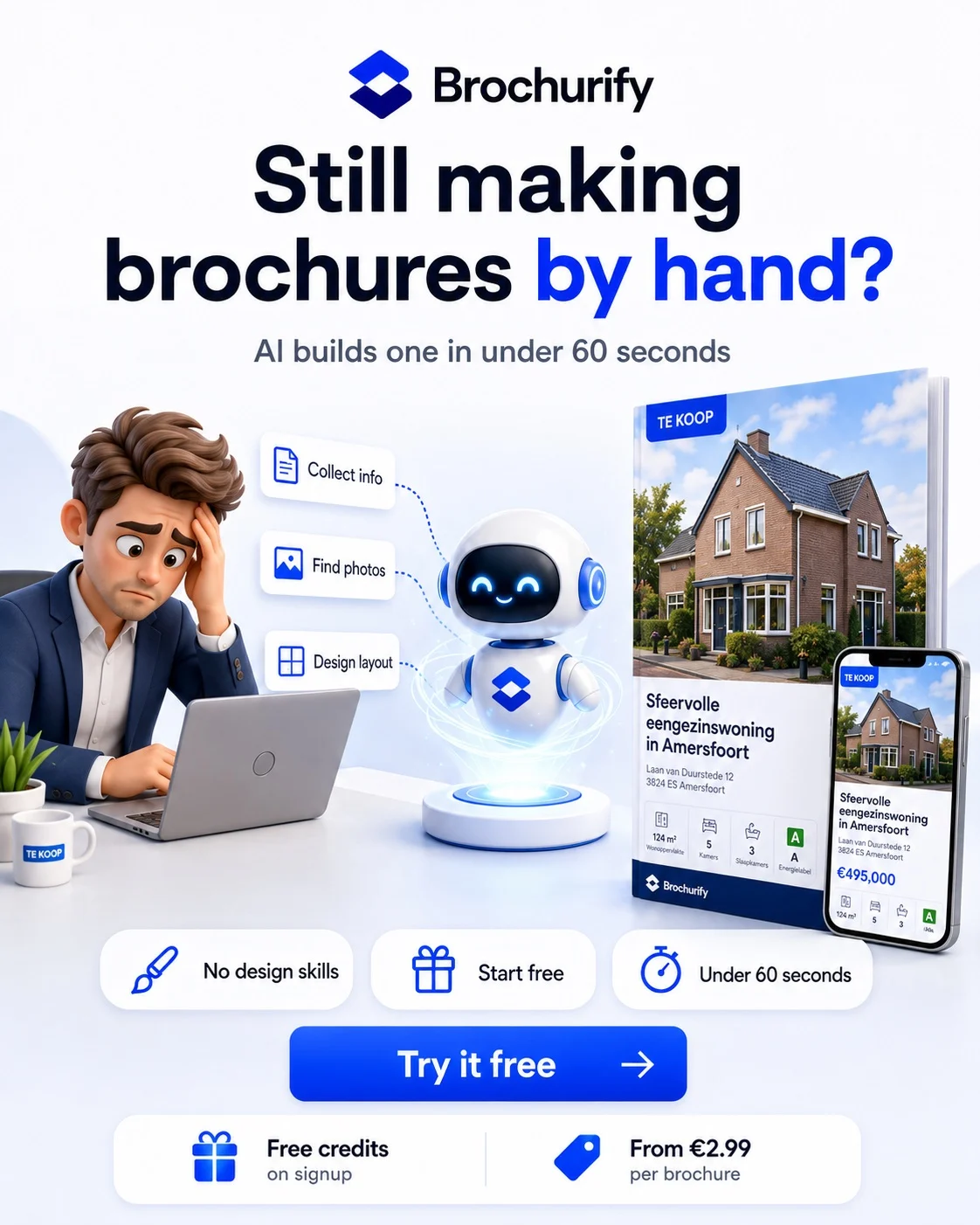
Brochurify is an AI brochure maker built for sellers of high-value assets. You answer a few questions, upload photos, and it generates a print-ready, professional PDF in under 60 seconds. There is no design skill required and no software to install.
The free tier gives you 2 credits to build and export a brochure, so you can produce a real, usable document before deciding whether to pay for more. Every brochure also carries a QR code and a shareable link that opens a live environment where the buyer can chat, ask questions and contact you directly. A static PDF becomes a living sales channel, from brochure to conversation to sale.
Behind that link, a dashboard shows who viewed the brochure, which questions came in and how engaged each prospect is. The mechanics of that live link are covered in QR code on a brochure. If you sell luxury or collectible items, the sell luxury goods online guide shows how the same approach applies to premium sales.
Frequently asked questions
Is there a genuinely free brochure maker?
Yes. Several tools offer a free tier or free credits that let you build and export a brochure without paying. Brochurify gives you 2 free credits to create a print-ready PDF, so you can produce a real document before deciding on a paid plan.
Do I need design skills to use a brochure maker?
No. AI brochure makers handle layout, alignment and export for you. You supply the photos, facts and price, and the tool builds the finished page. If you can fill in a form, you can make a professional brochure.
How long does it take to make a brochure?
With an AI maker, a first draft takes under 60 seconds once your photos and facts are ready. Reviewing and fine-tuning the result adds a few minutes. Gathering good photos beforehand is usually the longest part.
Can I print the brochure I make?
Yes, if the tool exports a print-ready PDF at high resolution. Always check that the export prints without pixelation before sending it to a printer. Brochurify produces a print-ready PDF by default.
Will a free brochure have a watermark?
It depends on the tool. Some free tiers stamp a logo on the output, which looks unprofessional to buyers. Check this before you commit; a clean, unbranded document always sells better.
What is the difference between a flyer maker and a brochure maker?
A flyer maker builds a single sheet for reach and quick attention. A brochure maker builds a longer, multi-photo document that goes into depth to close an interested buyer. We compare the formats in real estate flyer vs brochure.
Ready to see it work? Try the free brochure maker and build a print-ready brochure, with a live QR link, in under 60 seconds.